
How do I apply a discount or promo code at Tradeprint?
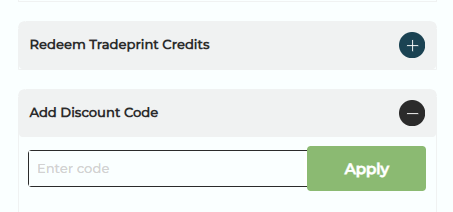
To apply a discount code, add your products to the basket, enter your code in the discount field on the right-hand side of the basket screen, and click "Apply." The new total will update immediately. You must be logged into your account before checking out.
- Log in to your account.
- Add all products to your basket.
- Go to the basket screen and enter your discount code in the field on the right-hand side.
- Click "Apply." The discount will be applied automatically and your new basket total will reflect the saving.
To see our latest promotions and offers, visit tradeprint.co.uk/promotions-and-offers.
Note:
The product totals will also adjust to show the discounted price.
The total discount value will also show in the cart/basket.