
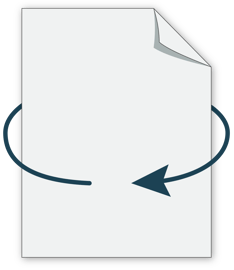
When processing double-sided artwork for printing, our system automatically flips the reverse page from left to right. This applies to all print products, so it’s essential to set up your artwork correctly before submitting.
For example, if you're printing flat work and want the artwork to appear right side up on both sides of the print, please ensure your file's content (text, logos, images) and the page format in the same orientation:
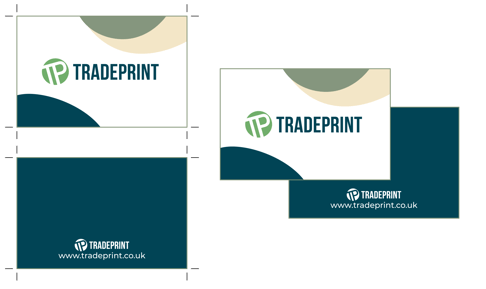
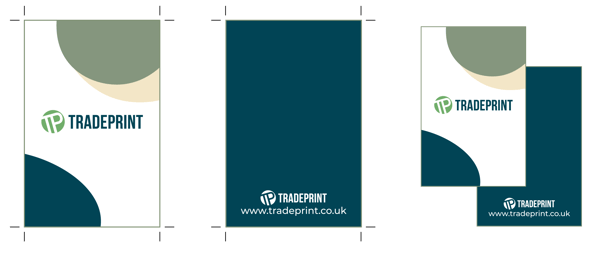
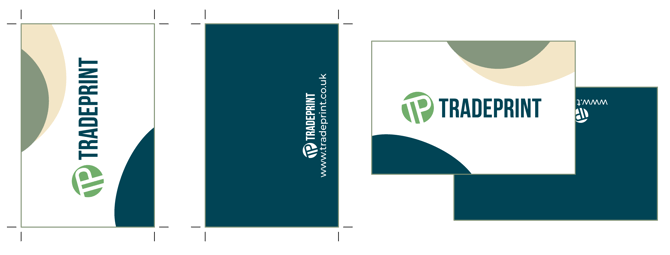
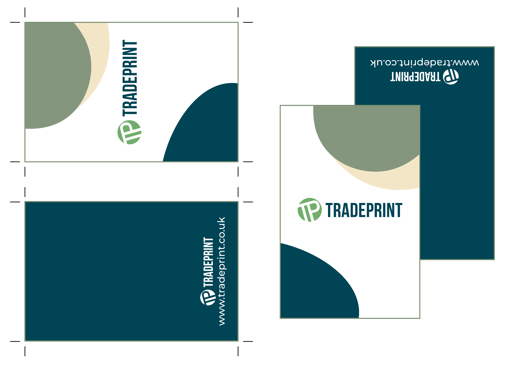
If you are unable to correct the orientation at the file level (for example, when using the Online Designer), you can resolve this by rotating one of the pages 180°.
Please note: for orders placed via our Just Print service, no orientation checks are carried out. If your artwork is submitted in the wrong orientation, it will be printed as supplied — so please double-check your file before ordering.
Folded Cards
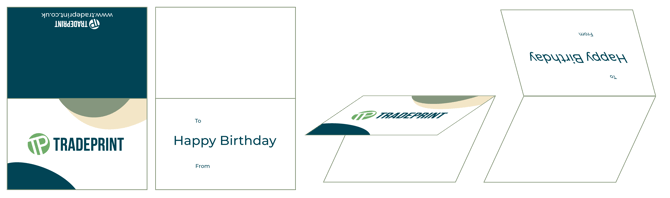
A common issue occurs with landscape folded tent cards. Because our system flips pages from left to right, the inside page must be rotated 180° to align correctly with the outside.
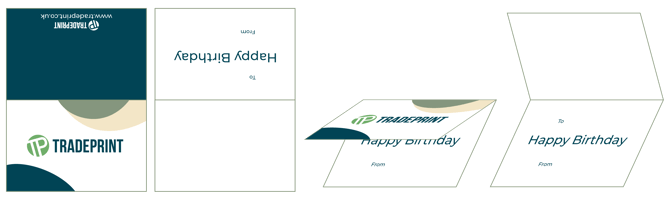
If the inside pages are submitted in matching orientations, the inside will print upside down compared to the outside pages, meaning the message will be displayed incorrectly when the card is opened.
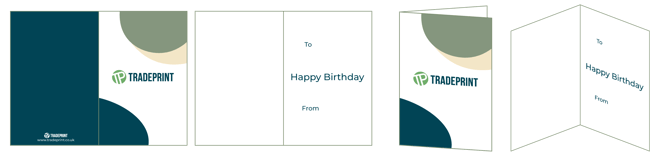
For standard cards that open side-bound (portrait cards), the inside pages must be in the same orientation as the outside pages.
We always recommend that you use our free artwork templates to help create your artwork for print. If you follow the templates, then your design will print correctly.
Read this article for help setting up your Landscape Fold artwork.