
Troubleshooting Credit Usage Issues
If you are unable to use your credits while attempting to place an order, follow these steps to troubleshoot the issue:
-
Check Your Account Status:
- Ensure that you have credits available in your account. You can verify this by logging into your account and checking the balance.
-
Clear Your Browser Session:
- If you encounter a greyed-out option indicating that your credits cannot be redeemed, try signing out of your account and closing your browser completely. This can help refresh your session.
-
Reopen Your Browser:
- After closing your browser, reopen it and navigate back to the website. Log into your account again.
-
Add Items to Your Basket:
- Before attempting to use your credits, add the desired items to your basket. Ensure that you have the necessary artwork saved on your device.
-
Redeem Your Credits:
- Once you have items in your basket, you should be able to redeem your credits during the checkout process. Look for the option to apply your credits.
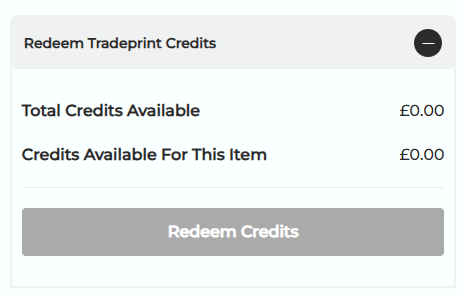
- Once you have items in your basket, you should be able to redeem your credits during the checkout process. Look for the option to apply your credits.
-
Contact Support if Issues Persist:
- If you continue to experience difficulties after following these steps, consider reaching out to customer support for further assistance.
Resolving issues with using credits can often be achieved by refreshing your browser session and ensuring that you follow the correct steps during the checkout process. If problems persist, do not hesitate to contact customer support for help.